
What Willa does
Willa’s tools for growing your care agency.
Help families find you. Answer their questions. Book a visit. Follow up until they are ready. Willa brings your marketing and intake work into one place.
Features vary by plan. Some tools need a connected account or setup before use.
Help more families find you.
See where your ad money goes. Find changes that could bring more families to your agency.
- Google AdsBeta
- Link your account or upload a report. See spend, inquiries and cost per inquiry. Review Willa’s advice before changing a budget or pausing an ad campaign.
- Meta AdsBeta
- Bring Facebook and Instagram campaign results into Willa. See which campaigns to pause, grow or test next.
- Search terms and keyword adviceBeta
- Find Google ad searches that spend money without bringing inquiries. Willa suggests searches to block so you can reduce wasted spend.
- Ad ideas and copy
- Get draft hooks, headlines and ad text based on your agency and the families you want to reach.
Ad tools need connected accounts or uploaded data. Direct Google Ads access depends on account setup and Google approval. Ad spend is paid to Google or Meta separately from your Willa plan.
Make your website work harder.
Give families clear answers. Help search engines and AI tools understand the care you offer.
- SEO website check
- Willa reads your pages and checks titles, descriptions, local business details and other signals that help Google understand your agency.
- AEO website check
- AEO means helping AI tools understand your site. Willa checks for clear answers, care details and page information that tools like ChatGPT can read.
- Website improvement recommendations
- See a score out of 100 and a list of fixes, with the most important ones first. Copy draft page text, FAQs and other fixes to share with your website team.
- Weekly checks and progress
- Keep a record of checks and compare your score over time. Re-check after making changes to see what still needs work.
Your team applies website changes. Website checks do not track Google keyword positions or guarantee a place in search results or AI answers.
Answer when families reach out.
A family may call, chat or fill out a form. Keep each inquiry in one place so your team can act.
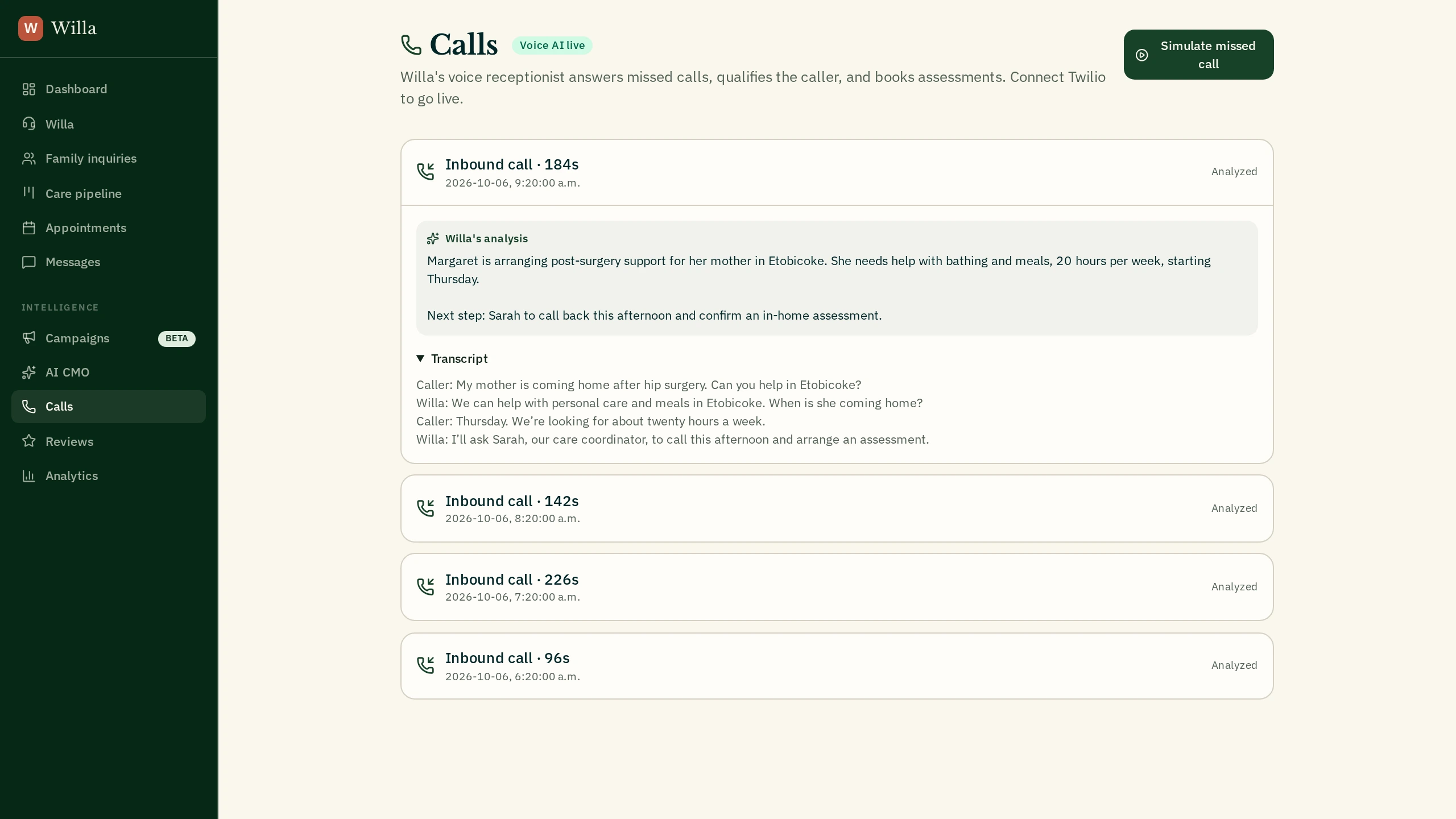
- Voice AI receptionist
- Set up Willa to answer your calls. She asks about care needs and saves the conversation, summary and next step for your team.
- Website chat widget
- Add Willa to your website. She answers questions using your agency’s information and collects contact details and care needs.
- Website lead forms
- Add a contact form to your site. New inquiries go into Willa and can start your follow-up process.
- Care fit and lead scoring
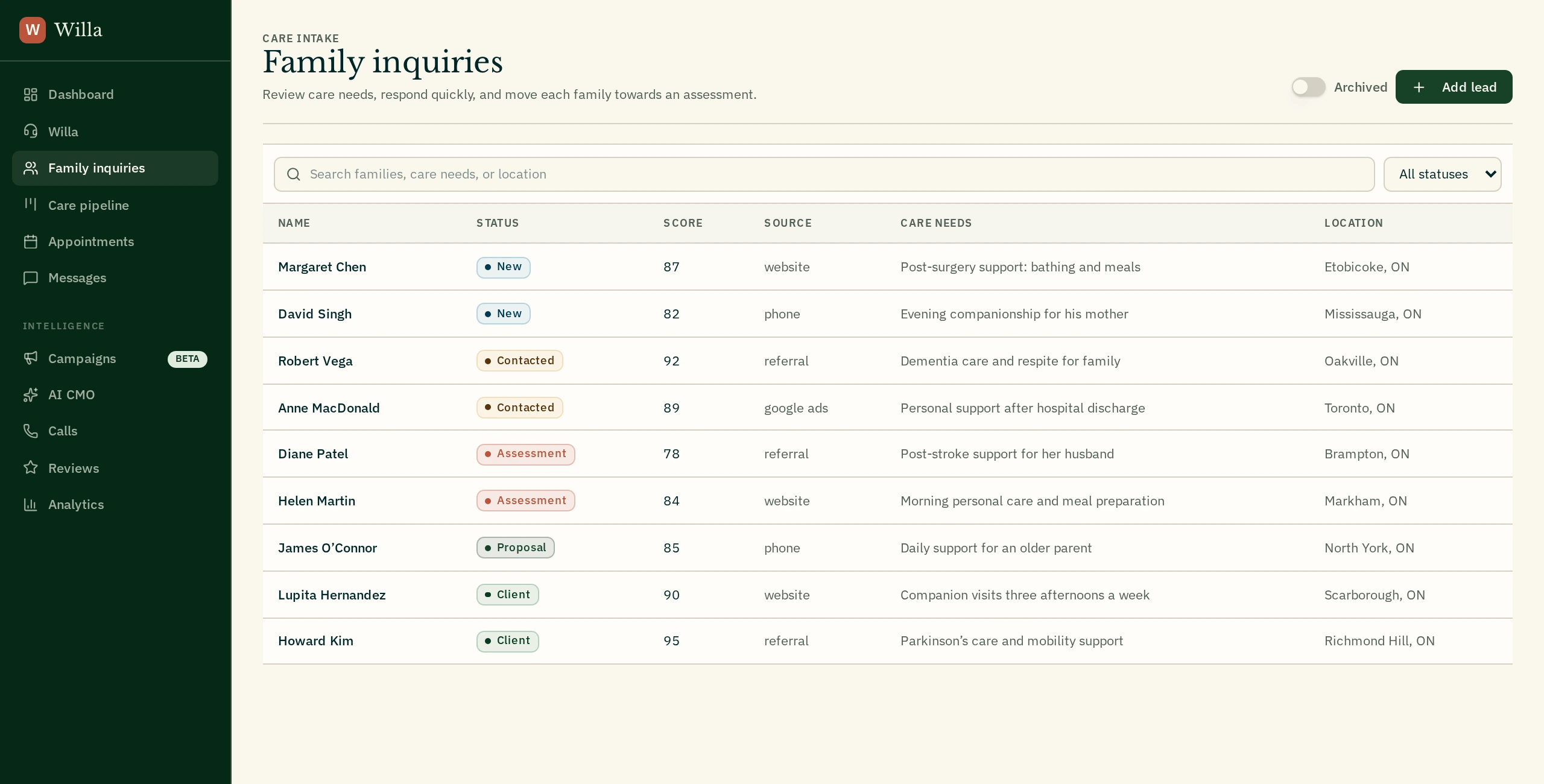
- Collect location, care needs, hours, urgency and funding details. Lead scores help your team see which families need attention first.
Phone answering and follow-up need phone setup. You choose Willa’s services, answers, service area and schedule. Canadian funding options include provincial home care and Veterans & CAF benefits.
Book a visit. Keep in touch.
Help a first inquiry turn into a time to talk about care. Stay in touch when a family is not ready yet.
- Calendar booking
- Connect Google Calendar and turn on booking. Willa checks open times and helps book care assessments. Your team can see upcoming visits in one place.
- AI call and text follow-up
- Turn on follow-up for new website and Facebook leads. Willa calls and texts, then stops when a family books, replies or opts out. Your team can pause follow-up.
- Email drafts and messages
- Get draft follow-up emails for families who have not booked. Keep texts and email activity with each contact so your team knows what was said.
- Family inquiry records
- See contact details, care needs, notes and past activity together. Add a family by hand or find an inquiry with search and filters.
Booking needs a connected calendar. Texts and emails depend on service setup and the family’s consent. Your team reviews email drafts before sending.
See what brings in clients.
Know who needs a next step, where inquiries come from and which parts of your process need work.
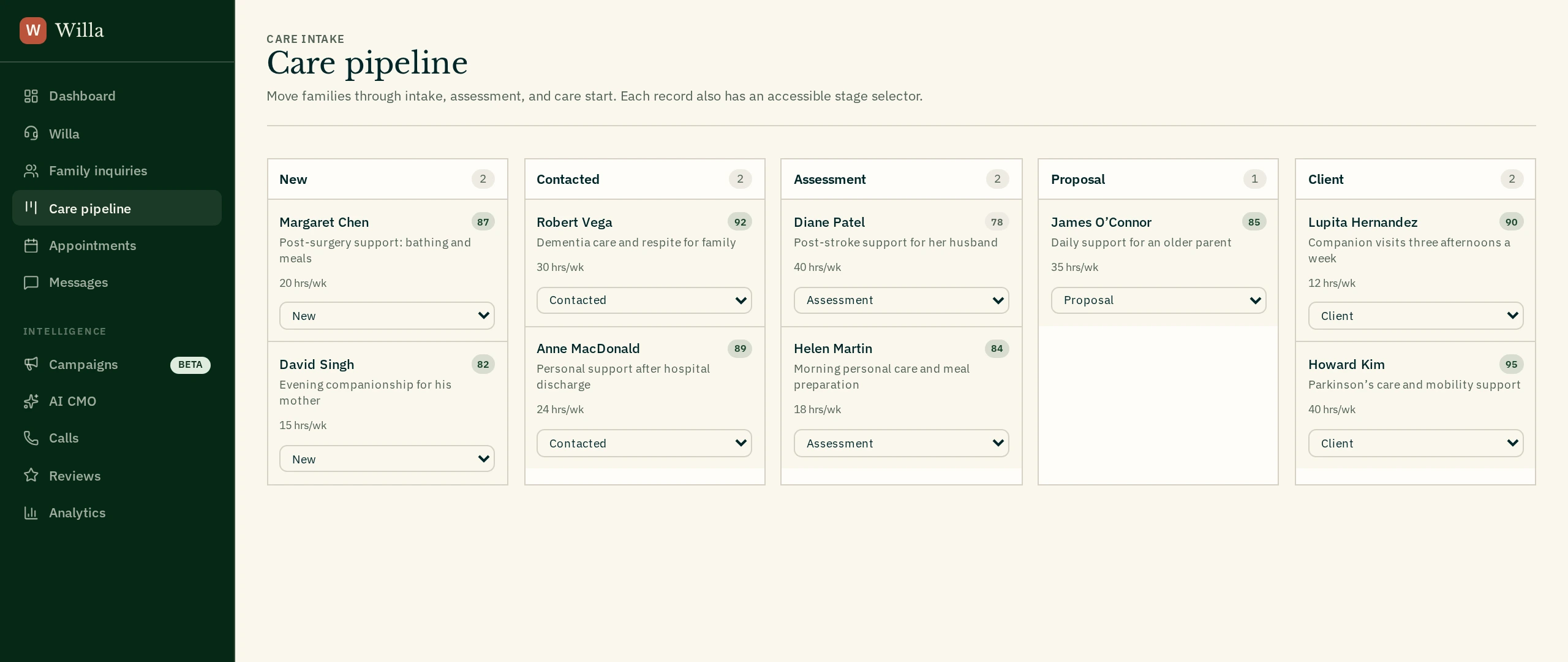
- Care pipeline and daily briefing
- Move families from new inquiry to assessment, proposal and client. See today’s priorities, booked visits and key numbers without digging through notes.
- Lead and campaign reporting
- Compare inquiry sources, ad spend, cost per inquiry and the share of leads that become clients. See the value of care in your pipeline.
- AI marketing chat
- Ask Willa what to focus on next. She uses your agency’s available data to suggest clear actions for ads, follow-up and growth.
- Growth forecasts
- Get an estimate for the next 30 days, with the reasons, risks and changes that could help more inquiries turn into clients.
Reports use the lead and campaign data in Willa; a direct Google Analytics connection is not currently available. Forecasts are estimates, not promises of new clients or revenue.
Build trust. Keep your team connected.
Make it easier to ask for reviews, keep track of referrals and pass new clients to your care team.
- Google review requests
- Send a text with your Google review link to a client. Make asking for a review a simple part of your team’s work.
- Referral source tracking
- Record who sent a family to you. See which referral sources bring inquiries so you know which relationships to focus on.
- Care software integrations
- Connect ShiftCare, AlayaCare or AxisCare and send a contact’s details to your care system. AlayaCare and AxisCare need a date of birth to create a client.
- Team access and agency settings
- Invite your team. Set your agency’s services, hours, funding options and Willa’s answers so everyone works from the same information.
- Canadian data and privacy controls
- Use Willa’s Canadian platform with Canadian data storage, consent records and data retention controls. Review the data processing agreement with your team.
Care software connections need your own account access. Privacy tools support your process; your agency remains responsible for meeting PIPEDA and CASL requirements.